
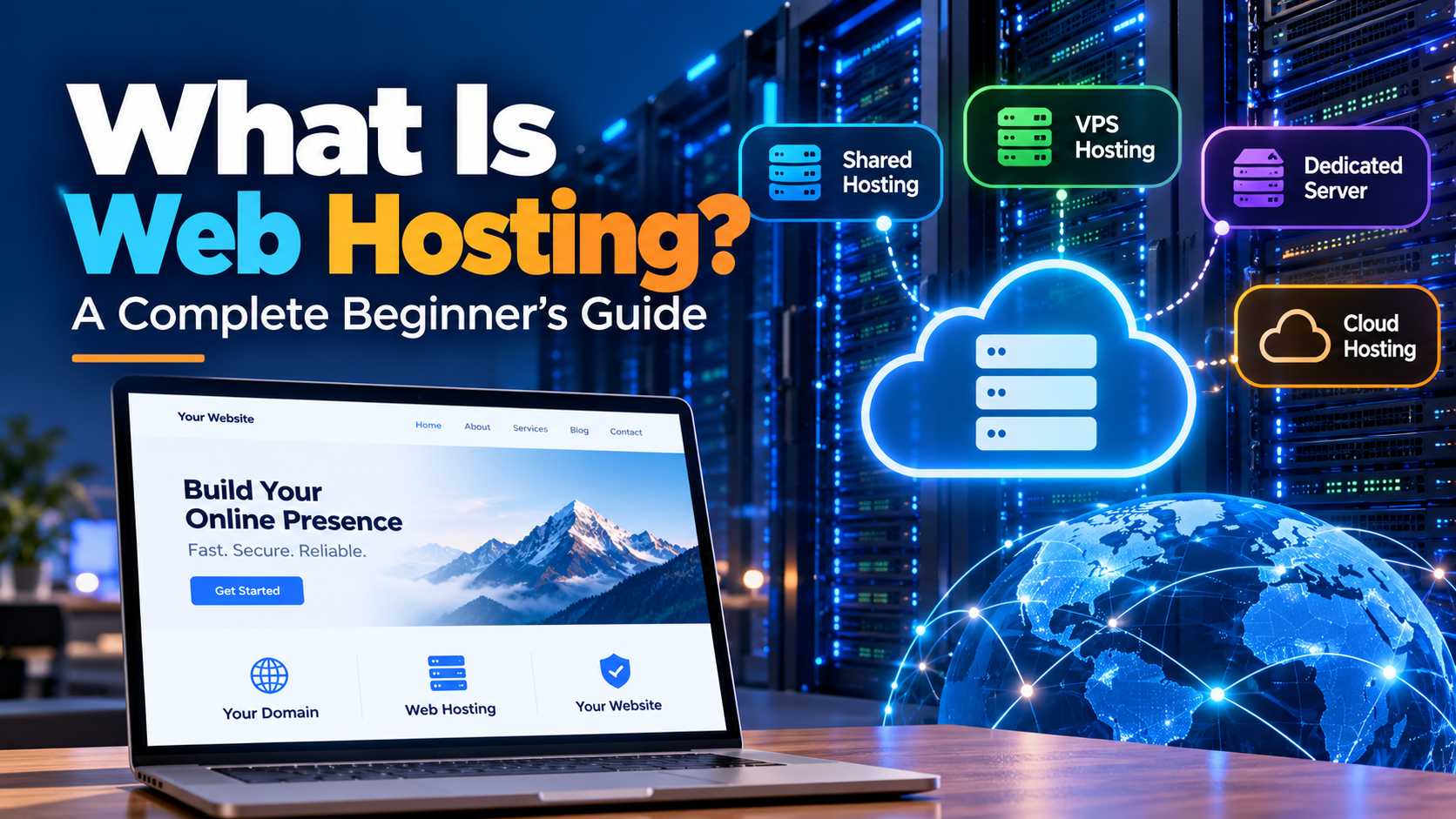
What Is Web Hosting? A Complete Beginner's Guide
If you want to build a website, start a blog, launch an online store, or create a website for your business, you will need web hosting. But what exactly is web hosting, how does it work, and which type should you choose?
Web hosting is one of the most important parts of building a website. Understanding it can help you choose the right service, avoid unnecessary expenses, and keep your website running smoothly.
In this beginner's guide, we will explain web hosting in simple terms, explore the different types of hosting, and show you how to choose the right plan for your needs.
What Is Web Hosting?
Web hosting is a service that stores your website's files on a server connected to the internet and makes them accessible to visitors.
These files can include text, images, videos, website code, databases, and other content. When someone visits your website, the hosting server delivers the necessary information to their browser.
For example, if you create a website for your business, you need a place to store its pages, images, contact information, and other files. A web hosting provider supplies the server infrastructure that allows people to access your website online.
Without hosting or another suitable publishing platform, your website files would not be publicly accessible as a normal website.
How Does Web Hosting Work?
Web hosting works by storing website data on a server and delivering that data when someone requests your website.
Here is a simple example of what happens when someone visits your website:
1. A visitor enters your domain name. They type an address such as "example.com" into their browser.
2. DNS finds the destination. The Domain Name System helps the browser find the server associated with your domain.
3. The browser requests the website. It sends a request to the appropriate server.
4. The server processes the request. Depending on the website, the server may retrieve files, query a database, or run application code.
5. The website appears. The server sends the response to the visitor's browser, which displays the page.
Most of this process happens in seconds.
A hosting provider maintains the underlying infrastructure, although the amount of management it provides depends on your hosting plan.
Domain Name vs Web Hosting: What's the Difference?
Domain names and web hosting work together, but they serve different purposes.
Think of your website as a house. Your domain name is the address people use to find it, while web hosting is the space where the website's content lives.
Feature| Domain name| Web hosting
Main purpose| Gives your website an address| Stores and serves website content
Example| "example.com"| A hosting account or server
What you pay for| Domain registration and renewal| Hosting resources and services
Can it exist separately?| Yes, a domain can exist without a website| Yes, hosting can exist without a custom domain
Typical management| Registrar or DNS provider| Hosting provider or server administrator
You generally need both a domain name and a hosting service to publish a traditional website using your own domain. Some website builders bundle these services together.
What Are the Different Types of Web Hosting?
Not every website needs the same amount of server power, storage, or technical control. That is why hosting providers offer several types of hosting.
1. Shared Hosting
Shared hosting allows multiple websites to use the same physical server and share its resources.
It is usually one of the most affordable ways to launch a website. The hosting company manages much of the server infrastructure, making it suitable for beginners.
Best for:
- Personal blogs
- Small business websites
- Portfolio websites
- New websites with modest traffic
Advantages:
- Affordable pricing
- Relatively easy setup
- Often includes a control panel
- Little server administration required
Disadvantages:
- Resources are shared with other customers
- Performance can be affected by server load
- Advanced server configuration is limited
Shared hosting is a sensible starting point for many small websites, provided the plan has enough resources for the site's needs.
2. VPS Hosting
VPS stands for Virtual Private Server. VPS hosting divides a physical server into separate virtual server environments.
Each VPS has an allocated set of resources and its own operating system environment. Depending on the virtualization technology and plan, users can receive greater control and isolation than with shared hosting.
Best for:
- Growing websites
- Developers and technical users
- Hosting resellers
- Applications requiring custom software
- Websites that have outgrown shared hosting
Advantages:
- More control over the server environment
- Configurable resources
- Greater flexibility for installing software
- A path to scaling as requirements grow
Disadvantages:
- Usually costs more than basic shared hosting
- Unmanaged VPS plans require technical skills
- Poor configuration can create security or performance problems
VPS hosting is a useful middle ground for people who need more flexibility without renting an entire physical server.
3. Dedicated Server Hosting
With dedicated server hosting, you rent an entire physical server for your own workloads.
You generally receive more control over hardware resources and server configuration, although the provider may still manage some or all of the infrastructure.
Best for:
- Resource-intensive websites
- Large databases
- Busy online stores
- Game servers
- Businesses with specific performance or configuration requirements
Advantages:
- Exclusive use of the server's physical resources
- Extensive configuration options
- Predictable access to hardware resources
- Greater control over the software environment
Disadvantages:
- Higher costs
- More responsibility for maintenance on unmanaged plans
- Scaling can require hardware changes or migration
Dedicated servers are not automatically faster or better for every website. A well-configured VPS may be sufficient for many small and medium-sized projects.
4. Cloud Hosting
Cloud hosting uses virtualized infrastructure that runs on cloud computing resources. Depending on the provider's architecture, resources may be distributed across multiple servers or data centers.
Cloud hosting can make it easier to increase capacity as demand changes. However, not every cloud hosting service provides automatic failover or unlimited scaling.
Best for:
- Growing online businesses
- Applications with changing workloads
- E-commerce websites
- SaaS platforms
- Projects that need flexible infrastructure
Advantages:
- Flexible resource allocation
- Options for scaling
- Different pricing models
- Potential for redundancy when properly designed
Disadvantages:
- Costs can become difficult to predict
- Some services require technical expertise
- Reliability depends on the actual architecture and configuration
Cloud hosting can be a strong option when flexibility matters, but always check how pricing, backups, redundancy, and support work.
5. Managed WordPress Hosting
Managed WordPress hosting is designed specifically for websites running WordPress.
Depending on the provider, the service may include WordPress updates, caching, backups, security features, and technical assistance.
Best for:
- WordPress blogs
- Business websites
- Content publishers
- Users who prefer not to manage server software themselves
Advantages:
- WordPress-focused tools
- Simplified maintenance
- Potential performance optimizations
- Support tailored to WordPress
Disadvantages:
- May cost more than basic hosting
- Some plans restrict plugins or server configurations
- Features vary considerably between providers
Choose managed WordPress hosting if convenience and WordPress-specific support are more important than full server control.
Web Hosting Types Compared
Hosting type| Typical cost level| Technical difficulty| Best use
Shared hosting| Low| Low| Blogs and small websites
VPS hosting| Low to medium| Medium to high| Growing websites and custom applications
Dedicated hosting| High| Medium to high| Resource-intensive workloads
Cloud hosting| Varies| Medium to high| Flexible, scalable applications
Managed WordPress| Low to high| Low| WordPress websites
These cost levels are general comparisons, not fixed prices. Actual costs depend on the provider, resources, contract length, support, and included features.
What Features Should You Look for in a Web Hosting Plan?
Choosing hosting based only on the lowest price can lead to problems later. Before purchasing a plan, compare the features that matter to your website.
1. Performance and Server Resources
Check how much CPU, RAM, and storage the plan provides. Also consider storage technology, resource limits, caching, and how the provider handles high traffic.
A simple portfolio website has different requirements from an online store with thousands of products.
2. Uptime and Reliability
Uptime describes how often a website or hosting service is available.
A provider may advertise a 99.9% uptime commitment, but check the terms, exclusions, measurement method, and any service credits. A percentage alone does not guarantee that your individual website will always be available.
3. Security Features
Look for security measures such as:
- SSL/TLS support for encrypted connections
- Firewalls and security monitoring
- Malware detection or removal options
- Account isolation
- Software update support
- Protection against common attacks
Security responsibilities are shared between the hosting provider and the website owner. A secure server does not automatically make an outdated website or vulnerable plugin safe.
4. Backups and Recovery
Backups help you restore your website after accidental deletion, software problems, or certain security incidents.
Check how frequently backups are created, how long they are retained, whether restoration costs extra, and whether you can download an independent copy.
For important websites, maintaining a separate backup is a good precaution.
5. Customer Support
Technical problems can occur even with reliable hosting. Look for support channels that suit your needs and verify whether assistance is available around the clock.
Also check whether support covers only server infrastructure or includes website software, databases, email, and application troubleshooting.
6. Scalability
Your hosting plan should suit your current needs while offering a reasonable upgrade path.
You might begin with shared hosting and later move to a VPS or cloud platform as your website grows. Before choosing a provider, understand how upgrades and migrations work.
7. Control Panel and Ease of Use
A hosting control panel can simplify common tasks such as creating email accounts, managing databases, installing applications, and configuring domains.
Popular options include cPanel, DirectAdmin, and Plesk. Some providers offer their own control panels instead.
Choose a solution that matches your technical experience and the software you plan to use.
How Much Does Web Hosting Cost?
Web hosting prices vary significantly. Basic shared hosting is usually the least expensive option, while dedicated infrastructure and managed enterprise services generally cost more.
Your total cost may include:
- Monthly or annual hosting fees
- Domain registration and renewal
- Premium backups
- Paid SSL or security services, where applicable
- Email hosting
- Website migration
- Software licenses
- Additional storage, bandwidth, or computing resources
Be careful with introductory offers. A low first-term price may increase at renewal, so compare the regular price and the total cost over the period you expect to use the service.
The cheapest plan is not necessarily the best value. A slightly more expensive plan may include important features that would otherwise require additional purchases.
How to Choose the Right Web Hosting Provider
Follow these steps before making a decision.
Step 1: Identify your website's purpose. Decide whether you are building a blog, business website, online store, web application, or another type of project.
Step 2: Estimate your resource requirements. Consider expected visitors, storage needs, databases, software, and whether your website performs resource-intensive tasks.
Step 3: Set a realistic budget. Include renewal pricing and any paid extras rather than looking only at the advertised starting price.
Step 4: Compare reliability and support. Review service commitments, support options, security measures, and backup policies.
Step 5: Check technical compatibility. Make sure the hosting environment supports your required programming language, database, CMS, and other software.
Step 6: Understand the upgrade path. Confirm that you can increase resources or migrate to a more suitable service if your website grows.
Step 7: Read the terms carefully. Review refund policies, resource limits, acceptable-use rules, and any restrictions that could affect your project.
Is Web Hosting Necessary for Every Website?
Most publicly accessible websites need some form of hosting infrastructure, but you do not always need to purchase a separate hosting plan.
For example, website builders and hosted publishing platforms may include hosting in their subscriptions. Static websites can also be deployed through specialized hosting services.
If you want greater control over your domain, software, server configuration, or data, a traditional hosting account or cloud infrastructure may offer more flexibility.
The right choice depends on your technical requirements and how much maintenance you want to handle yourself.
Common Web Hosting Mistakes to Avoid
Beginners can save time and money by avoiding these common mistakes:
- Choosing only by price: Check the renewal price, limitations, and included features.
- Ignoring backups: Keep recoverable copies of important website data.
- Buying too many resources: Start with a suitable plan instead of paying for capacity you do not need.
- Overlooking security: Keep your CMS, themes, plugins, and server software appropriately maintained.
- Ignoring performance: Test your website and investigate slow pages before assuming you need a bigger server.
- Forgetting domain renewal: Keep registration details and renewal settings up to date.
- Assuming all hosting is managed: Confirm who handles updates, monitoring, troubleshooting, and recovery.
A good hosting decision balances cost, performance, reliability, security, and the amount of technical work you are prepared to do.
Frequently Asked Questions About Web Hosting
1. What is web hosting in simple words?
Web hosting is a service that stores your website's files on an internet-connected server and delivers them to visitors when they access your website.
2. Can I have a domain name without hosting?
Yes. You can register a domain name without purchasing hosting. You can use it later, keep it for future projects, or connect it to a service that includes hosting.
3. Can I host a website for free?
Yes. Some platforms provide free website hosting, usually with limitations involving storage, bandwidth, features, branding, or custom domains. Free hosting can be suitable for experiments and simple projects, but important business websites may benefit from paid services.
4. Which type of web hosting is best for beginners?
Shared hosting is often a good starting point because it is affordable and relatively easy to manage. Managed WordPress hosting is another option for people building WordPress websites who prefer additional assistance.
5. Is VPS hosting better than shared hosting?
VPS hosting generally provides more control and a separate virtual environment, but it usually costs more and may require more technical knowledge. Shared hosting can be sufficient for smaller websites.
6. What is the difference between VPS hosting and cloud hosting?
VPS describes a virtual server environment, while cloud hosting describes hosting built on cloud infrastructure. A VPS can itself run on a cloud platform, so these terms are not always mutually exclusive.
7. Does web hosting affect SEO?
Hosting can affect website availability, speed, security, and user experience, which can influence SEO indirectly or through specific technical signals. However, upgrading hosting alone will not guarantee higher search rankings. Useful content, crawlability, site quality, and many other factors also matter.
8. How much storage does a website need?
It depends on the number and size of your files, images, videos, databases, backups, and future growth. A simple website may need relatively little storage, while a media-heavy site can require substantially more.
9. Can I change my hosting provider later?
Yes. You can migrate your website to another provider. The process may involve transferring files, databases, email, DNS settings, and application configuration. Plan the migration carefully to minimize downtime and data loss.
10. What happens if my hosting expires?
If your hosting subscription expires, your website may become unavailable or its services may be suspended, depending on the provider's policies. Your domain registration is a separate service unless it is bundled with hosting, so check both renewal dates.
Final Thoughts
Web hosting is the foundation that makes a website accessible online. From affordable shared hosting to flexible VPS plans, dedicated servers, and cloud infrastructure, there are options for almost every type of website and budget.
If you are just starting, focus on finding a reliable, secure, and affordable plan that meets your actual needs. You can upgrade as your website grows.
The best web hosting service is not necessarily the most expensive one. It is the one that provides the right balance of performance, reliability, support, security, and cost for your project.
Before choosing a provider,
 compare the features carefully and understand what you will pay over time. A little research at the beginning can help you avoid unnecessary expenses and build a stronger foundation for your website.
About Ekuraa: Ekuraa publishes practical guides on web hosting, domains, VPS servers, cloud computing, and digital technology to help readers make informed decisions online.
If you want to build a website, start a blog, launch an online store, or create a website for your business, you will need web hosting. But what exactly is web hosting, how does it work, and which type should you choose?
Web hosting is one of the most important parts of building a website. Understanding it can help you choose the right service, avoid unnecessary expenses, and keep your website running smoothly.
In this beginner's guide, we will explain web hosting in simple terms, explore the different types of hosting, and show you how to choose the right plan for your needs.
What Is Web Hosting?
Web hosting is a service that stores your website's files on a server connected to the internet and makes them accessible to visitors.
These files can include text, images, videos, website code, databases, and other content. When someone visits your website, the hosting server delivers the necessary information to their browser.
For example, if you create a website for your business, you need a place to store its pages, images, contact information, and other files. A web hosting provider supplies the server infrastructure that allows people to access your website online.
Without hosting or another suitable publishing platform, your website files would not be publicly accessible as a normal website.
How Does Web Hosting Work?
Web hosting works by storing website data on a server and delivering that data when someone requests your website.
Here is a simple example of what happens when someone visits your website:
1. A visitor enters your domain name. They type an address such as "example.com" into their browser.
2. DNS finds the destination. The Domain Name System helps the browser find the server associated with your domain.
3. The browser requests the website. It sends a request to the appropriate server.
4. The server processes the request. Depending on the website, the server may retrieve files, query a database, or run application code.
5. The website appears. The server sends the response to the visitor's browser, which displays the page.
Most of this process happens in seconds.
A hosting provider maintains the underlying infrastructure, although the amount of management it provides depends on your hosting plan.
Domain Name vs Web Hosting: What's the Difference?
Domain names and web hosting work together, but they serve different purposes.
Think of your website as a house. Your domain name is the address people use to find it, while web hosting is the space where the website's content lives.
Feature| Domain name| Web hosting
Main purpose| Gives your website an address| Stores and serves website content
Example| "example.com"| A hosting account or server
What you pay for| Domain registration and renewal| Hosting resources and services
Can it exist separately?| Yes, a domain can exist without a website| Yes, hosting can exist without a custom domain
Typical management| Registrar or DNS provider| Hosting provider or server administrator
You generally need both a domain name and a hosting service to publish a traditional website using your own domain. Some website builders bundle these services together.
What Are the Different Types of Web Hosting?
Not every website needs the same amount of server power, storage, or technical control. That is why hosting providers offer several types of hosting.
1. Shared Hosting
Shared hosting allows multiple websites to use the same physical server and share its resources.
It is usually one of the most affordable ways to launch a website. The hosting company manages much of the server infrastructure, making it suitable for beginners.
Best for:
- Personal blogs
- Small business websites
- Portfolio websites
- New websites with modest traffic
Advantages:
- Affordable pricing
- Relatively easy setup
- Often includes a control panel
- Little server administration required
Disadvantages:
- Resources are shared with other customers
- Performance can be affected by server load
- Advanced server configuration is limited
Shared hosting is a sensible starting point for many small websites, provided the plan has enough resources for the site's needs.
2. VPS Hosting
VPS stands for Virtual Private Server. VPS hosting divides a physical server into separate virtual server environments.
Each VPS has an allocated set of resources and its own operating system environment. Depending on the virtualization technology and plan, users can receive greater control and isolation than with shared hosting.
Best for:
- Growing websites
- Developers and technical users
- Hosting resellers
- Applications requiring custom software
- Websites that have outgrown shared hosting
Advantages:
- More control over the server environment
- Configurable resources
- Greater flexibility for installing software
- A path to scaling as requirements grow
Disadvantages:
- Usually costs more than basic shared hosting
- Unmanaged VPS plans require technical skills
- Poor configuration can create security or performance problems
VPS hosting is a useful middle ground for people who need more flexibility without renting an entire physical server.
3. Dedicated Server Hosting
With dedicated server hosting, you rent an entire physical server for your own workloads.
You generally receive more control over hardware resources and server configuration, although the provider may still manage some or all of the infrastructure.
Best for:
- Resource-intensive websites
- Large databases
- Busy online stores
- Game servers
- Businesses with specific performance or configuration requirements
Advantages:
- Exclusive use of the server's physical resources
- Extensive configuration options
- Predictable access to hardware resources
- Greater control over the software environment
Disadvantages:
- Higher costs
- More responsibility for maintenance on unmanaged plans
- Scaling can require hardware changes or migration
Dedicated servers are not automatically faster or better for every website. A well-configured VPS may be sufficient for many small and medium-sized projects.
4. Cloud Hosting
Cloud hosting uses virtualized infrastructure that runs on cloud computing resources. Depending on the provider's architecture, resources may be distributed across multiple servers or data centers.
Cloud hosting can make it easier to increase capacity as demand changes. However, not every cloud hosting service provides automatic failover or unlimited scaling.
Best for:
- Growing online businesses
- Applications with changing workloads
- E-commerce websites
- SaaS platforms
- Projects that need flexible infrastructure
Advantages:
- Flexible resource allocation
- Options for scaling
- Different pricing models
- Potential for redundancy when properly designed
Disadvantages:
- Costs can become difficult to predict
- Some services require technical expertise
- Reliability depends on the actual architecture and configuration
Cloud hosting can be a strong option when flexibility matters, but always check how pricing, backups, redundancy, and support work.
5. Managed WordPress Hosting
Managed WordPress hosting is designed specifically for websites running WordPress.
Depending on the provider, the service may include WordPress updates, caching, backups, security features, and technical assistance.
Best for:
- WordPress blogs
- Business websites
- Content publishers
- Users who prefer not to manage server software themselves
Advantages:
- WordPress-focused tools
- Simplified maintenance
- Potential performance optimizations
- Support tailored to WordPress
Disadvantages:
- May cost more than basic hosting
- Some plans restrict plugins or server configurations
- Features vary considerably between providers
Choose managed WordPress hosting if convenience and WordPress-specific support are more important than full server control.
Web Hosting Types Compared
Hosting type| Typical cost level| Technical difficulty| Best use
Shared hosting| Low| Low| Blogs and small websites
VPS hosting| Low to medium| Medium to high| Growing websites and custom applications
Dedicated hosting| High| Medium to high| Resource-intensive workloads
Cloud hosting| Varies| Medium to high| Flexible, scalable applications
Managed WordPress| Low to high| Low| WordPress websites
These cost levels are general comparisons, not fixed prices. Actual costs depend on the provider, resources, contract length, support, and included features.
What Features Should You Look for in a Web Hosting Plan?
Choosing hosting based only on the lowest price can lead to problems later. Before purchasing a plan, compare the features that matter to your website.
1. Performance and Server Resources
Check how much CPU, RAM, and storage the plan provides. Also consider storage technology, resource limits, caching, and how the provider handles high traffic.
A simple portfolio website has different requirements from an online store with thousands of products.
2. Uptime and Reliability
Uptime describes how often a website or hosting service is available.
A provider may advertise a 99.9% uptime commitment, but check the terms, exclusions, measurement method, and any service credits. A percentage alone does not guarantee that your individual website will always be available.
3. Security Features
Look for security measures such as:
- SSL/TLS support for encrypted connections
- Firewalls and security monitoring
- Malware detection or removal options
- Account isolation
- Software update support
- Protection against common attacks
Security responsibilities are shared between the hosting provider and the website owner. A secure server does not automatically make an outdated website or vulnerable plugin safe.
4. Backups and Recovery
Backups help you restore your website after accidental deletion, software problems, or certain security incidents.
Check how frequently backups are created, how long they are retained, whether restoration costs extra, and whether you can download an independent copy.
For important websites, maintaining a separate backup is a good precaution.
5. Customer Support
Technical problems can occur even with reliable hosting. Look for support channels that suit your needs and verify whether assistance is available around the clock.
Also check whether support covers only server infrastructure or includes website software, databases, email, and application troubleshooting.
6. Scalability
Your hosting plan should suit your current needs while offering a reasonable upgrade path.
You might begin with shared hosting and later move to a VPS or cloud platform as your website grows. Before choosing a provider, understand how upgrades and migrations work.
7. Control Panel and Ease of Use
A hosting control panel can simplify common tasks such as creating email accounts, managing databases, installing applications, and configuring domains.
Popular options include cPanel, DirectAdmin, and Plesk. Some providers offer their own control panels instead.
Choose a solution that matches your technical experience and the software you plan to use.
How Much Does Web Hosting Cost?
Web hosting prices vary significantly. Basic shared hosting is usually the least expensive option, while dedicated infrastructure and managed enterprise services generally cost more.
Your total cost may include:
- Monthly or annual hosting fees
- Domain registration and renewal
- Premium backups
- Paid SSL or security services, where applicable
- Email hosting
- Website migration
- Software licenses
- Additional storage, bandwidth, or computing resources
Be careful with introductory offers. A low first-term price may increase at renewal, so compare the regular price and the total cost over the period you expect to use the service.
The cheapest plan is not necessarily the best value. A slightly more expensive plan may include important features that would otherwise require additional purchases.
How to Choose the Right Web Hosting Provider
Follow these steps before making a decision.
Step 1: Identify your website's purpose. Decide whether you are building a blog, business website, online store, web application, or another type of project.
Step 2: Estimate your resource requirements. Consider expected visitors, storage needs, databases, software, and whether your website performs resource-intensive tasks.
Step 3: Set a realistic budget. Include renewal pricing and any paid extras rather than looking only at the advertised starting price.
Step 4: Compare reliability and support. Review service commitments, support options, security measures, and backup policies.
Step 5: Check technical compatibility. Make sure the hosting environment supports your required programming language, database, CMS, and other software.
Step 6: Understand the upgrade path. Confirm that you can increase resources or migrate to a more suitable service if your website grows.
Step 7: Read the terms carefully. Review refund policies, resource limits, acceptable-use rules, and any restrictions that could affect your project.
Is Web Hosting Necessary for Every Website?
Most publicly accessible websites need some form of hosting infrastructure, but you do not always need to purchase a separate hosting plan.
For example, website builders and hosted publishing platforms may include hosting in their subscriptions. Static websites can also be deployed through specialized hosting services.
If you want greater control over your domain, software, server configuration, or data, a traditional hosting account or cloud infrastructure may offer more flexibility.
The right choice depends on your technical requirements and how much maintenance you want to handle yourself.
Common Web Hosting Mistakes to Avoid
Beginners can save time and money by avoiding these common mistakes:
- Choosing only by price: Check the renewal price, limitations, and included features.
- Ignoring backups: Keep recoverable copies of important website data.
- Buying too many resources: Start with a suitable plan instead of paying for capacity you do not need.
- Overlooking security: Keep your CMS, themes, plugins, and server software appropriately maintained.
- Ignoring performance: Test your website and investigate slow pages before assuming you need a bigger server.
- Forgetting domain renewal: Keep registration details and renewal settings up to date.
- Assuming all hosting is managed: Confirm who handles updates, monitoring, troubleshooting, and recovery.
A good hosting decision balances cost, performance, reliability, security, and the amount of technical work you are prepared to do.
Frequently Asked Questions About Web Hosting
1. What is web hosting in simple words?
Web hosting is a service that stores your website's files on an internet-connected server and delivers them to visitors when they access your website.
2. Can I have a domain name without hosting?
Yes. You can register a domain name without purchasing hosting. You can use it later, keep it for future projects, or connect it to a service that includes hosting.
3. Can I host a website for free?
Yes. Some platforms provide free website hosting, usually with limitations involving storage, bandwidth, features, branding, or custom domains. Free hosting can be suitable for experiments and simple projects, but important business websites may benefit from paid services.
4. Which type of web hosting is best for beginners?
Shared hosting is often a good starting point because it is affordable and relatively easy to manage. Managed WordPress hosting is another option for people building WordPress websites who prefer additional assistance.
5. Is VPS hosting better than shared hosting?
VPS hosting generally provides more control and a separate virtual environment, but it usually costs more and may require more technical knowledge. Shared hosting can be sufficient for smaller websites.
6. What is the difference between VPS hosting and cloud hosting?
VPS describes a virtual server environment, while cloud hosting describes hosting built on cloud infrastructure. A VPS can itself run on a cloud platform, so these terms are not always mutually exclusive.
7. Does web hosting affect SEO?
Hosting can affect website availability, speed, security, and user experience, which can influence SEO indirectly or through specific technical signals. However, upgrading hosting alone will not guarantee higher search rankings. Useful content, crawlability, site quality, and many other factors also matter.
8. How much storage does a website need?
It depends on the number and size of your files, images, videos, databases, backups, and future growth. A simple website may need relatively little storage, while a media-heavy site can require substantially more.
9. Can I change my hosting provider later?
Yes. You can migrate your website to another provider. The process may involve transferring files, databases, email, DNS settings, and application configuration. Plan the migration carefully to minimize downtime and data loss.
10. What happens if my hosting expires?
If your hosting subscription expires, your website may become unavailable or its services may be suspended, depending on the provider's policies. Your domain registration is a separate service unless it is bundled with hosting, so check both renewal dates.
Final Thoughts
Web hosting is the foundation that makes a website accessible online. From affordable shared hosting to flexible VPS plans, dedicated servers, and cloud infrastructure, there are options for almost every type of website and budget.
If you are just starting, focus on finding a reliable, secure, and affordable plan that meets your actual needs. You can upgrade as your website grows.
The best web hosting service is not necessarily the most expensive one. It is the one that provides the right balance of performance, reliability, support, security, and cost for your project.
Before choosing a provider,
About Ekuraa: Ekuraa publishes practical guides on web hosting, domains, VPS servers, cloud computing, and digital technology to help readers make informed decisions online.